Last week we separated temporary inflation from persistent pressure.
上周我们区分了暂时性通胀与持续性压力。
00:24Professor
Today we compare supply shocks
今天我
00:31Student
00:37Professor
00:18Professor
00:24Professor
00:31Student
00:37Professor
Last week we separated temporary inflation from persistent pressure. 上周我们区分了暂时性通胀与持续性压力。 Today we compare supply shocks and demand-side policy responses. 今天我们比较供给冲击和需求侧政策响应。 Can we connect that to last week’s inflation model? 这能和上周的通胀模型联系起来吗? Yes. Watch how expectations change the policy lag in this example. 可以。请注意这个例子中预期如何改变政策时滞。
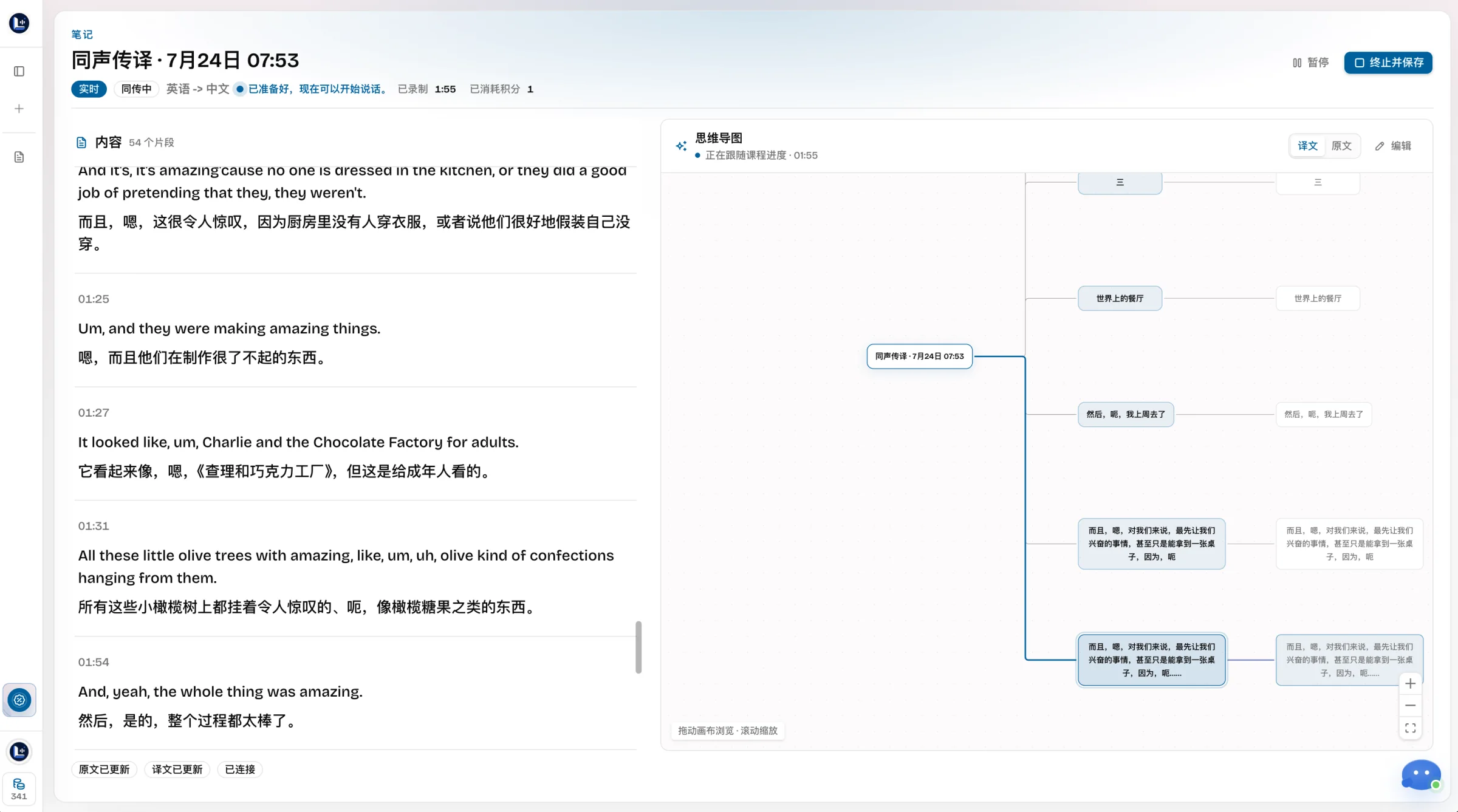
1 Live transcription2 Live translation3 Bilingual notes
LectMate starts with live transcription and translation, then turns the same lesson into a mind map, course quiz, AI Tutor answers, and an infographic.
LectMateLive → translate → structure → practice → recall
01
Understand in real time
Live transcription and translation for every lecture
LectMate keeps live speech, source text, and translated meaning aligned, so students can follow the class without losing context.
See the original transcript and translation update together
Keep key terms connected to the live course context
Actual LectMate workspace · Chinese interface shown
02
Understand the structure
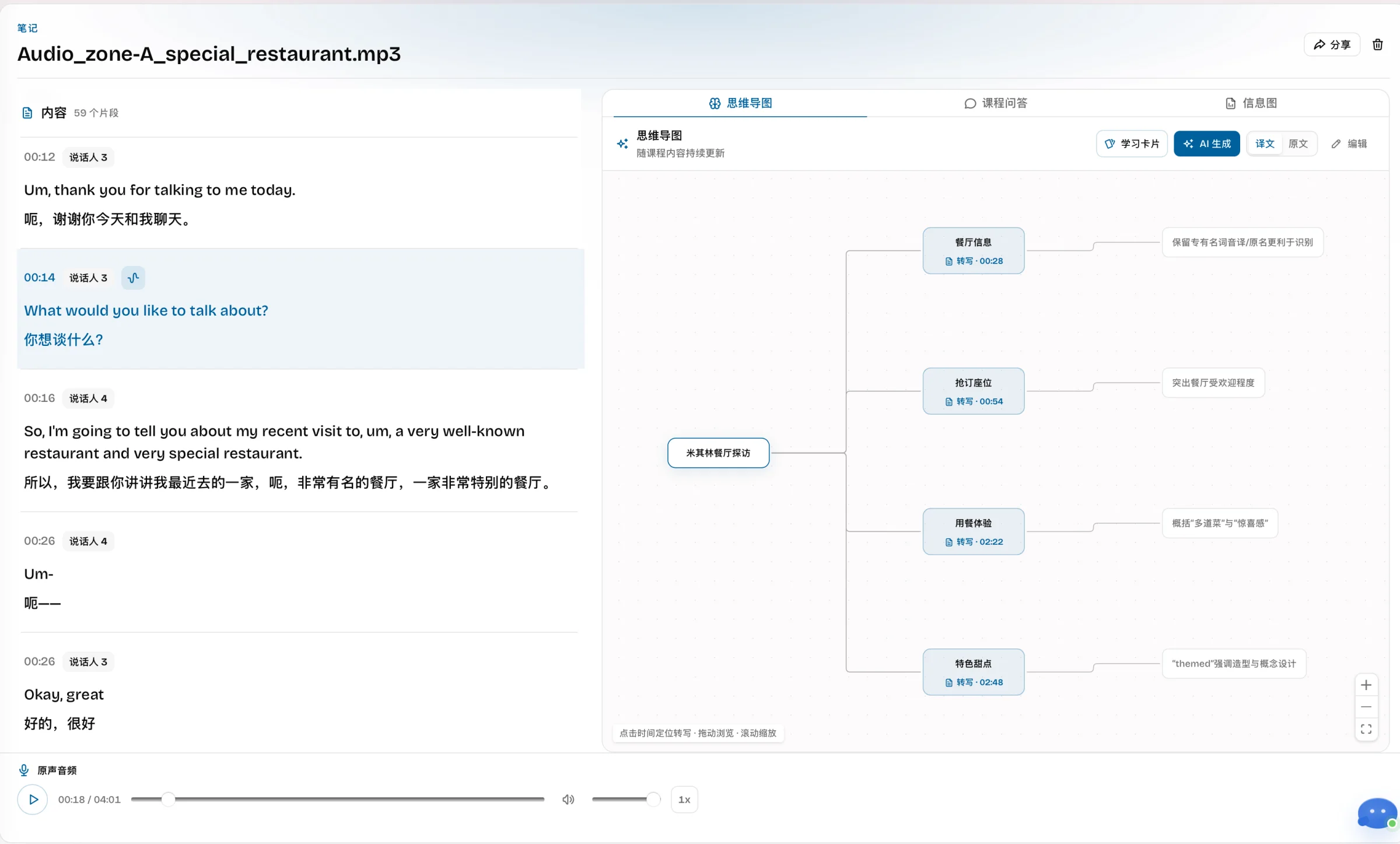
A LectMate mind map that stays connected to the source
LectMate turns a linear transcript into timestamped branches, so students can scan the lesson and verify any concept in context.
Turn a linear transcript into a visual course outline
Use timestamps to return to the original audio context
Actual LectMate workspace · Chinese interface shown
03
Check what stuck
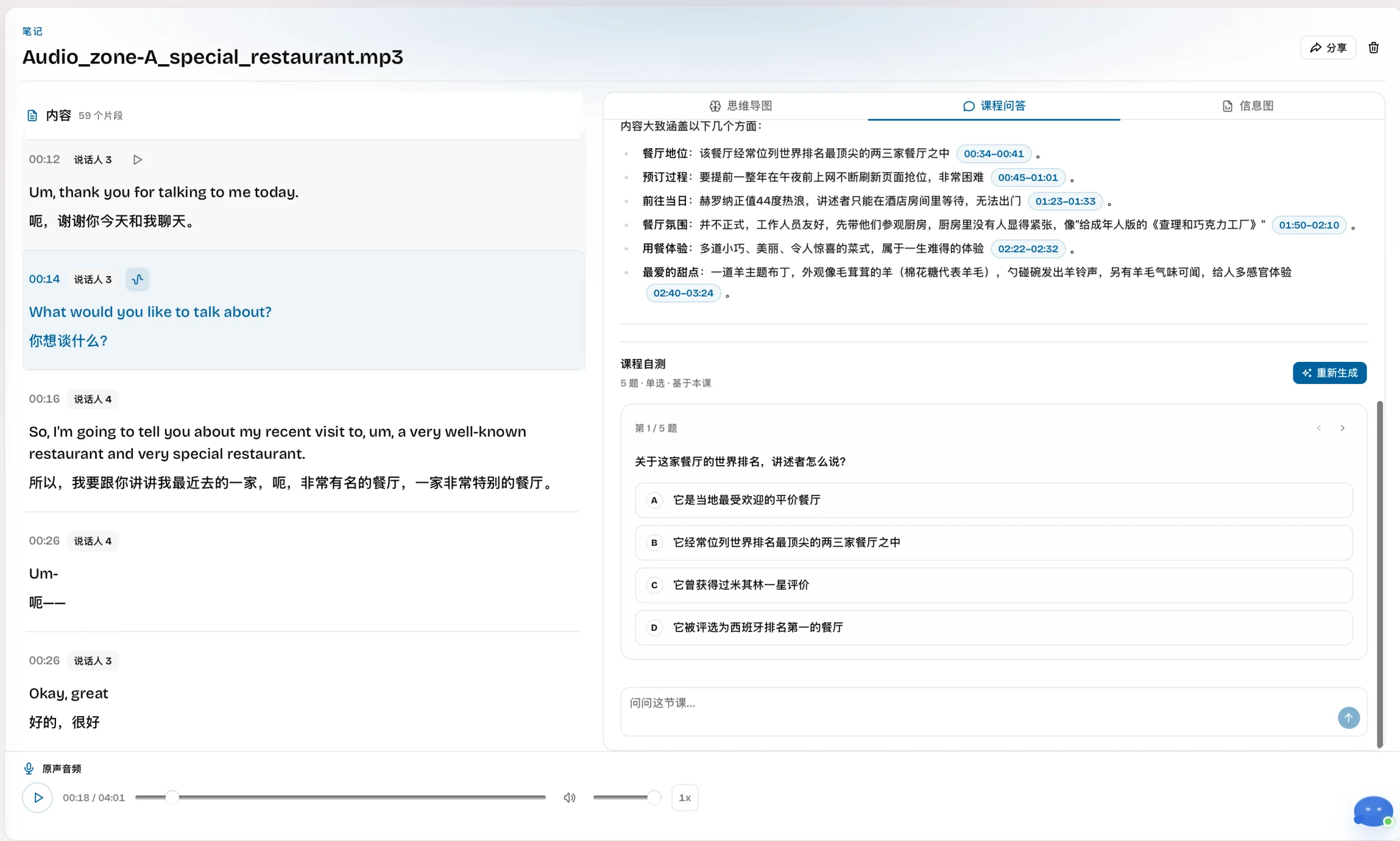
A LectMate course quiz based only on this lecture
LectMate generates five lesson-based questions to show what students understand before an exam, assignment, or review session.
Generate five lesson-based single-choice questions
Review the course summary and source timestamps alongside the quiz
Actual LectMate workspace · Chinese interface shown
04
Ask the lesson
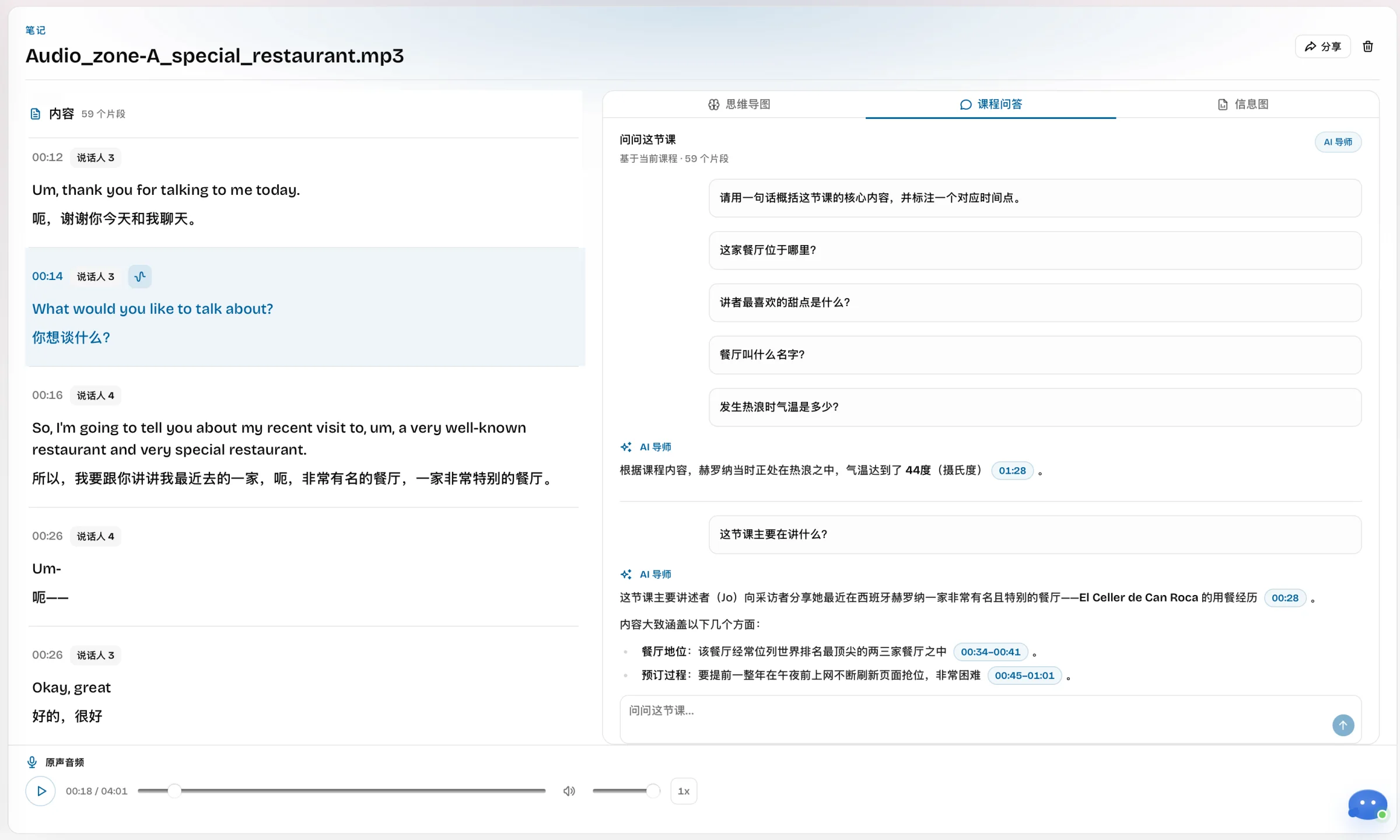
LectMate AI Tutor answers with course evidence
LectMate AI Tutor answers from the current lecture and cites timestamps, so every explanation can be checked against the source.
Ask about definitions, examples, and key takeaways
Trace answers back to precise moments in the lesson
Actual LectMate workspace · Chinese interface shown
05
Remember visually
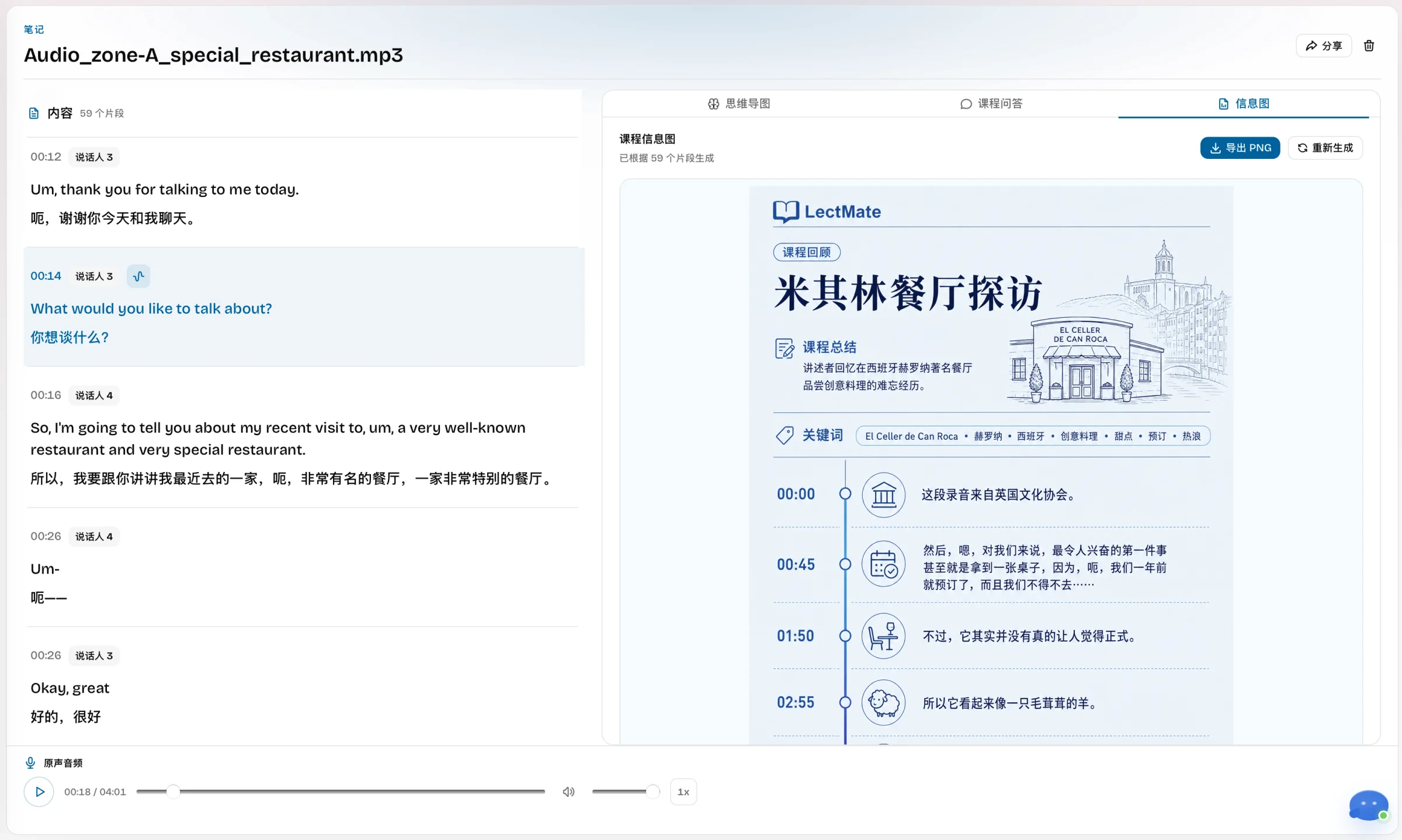
A LectMate infographic for the final review pass
LectMate turns the topic, summary, keywords, and timeline into an exportable visual recap for faster review.
Compress the lesson into a visual timeline and key ideas
Export the generated infographic as a PNG
Actual LectMate workspace · Chinese interface shown
Make the next lecture easier to understand—and remember.
Start with a live class or upload a recording. LectMate keeps every study output connected to the original lesson.
From fast lecture speech to live bilingual understanding and searchable notes, this short film shows the product story from classroom pressure to a review-ready study asset.
33 seconds
Why LectMate
When lectures move too fast, understanding should not depend on typing faster
A second-language lecture can become a race against speech. LectMate keeps the live moment, its meaning, and the material students need later connected in one study workflow.
01
The problem
Fast speech creates a compounding context gap
Miss one term, pause to translate it, and the next explanation is already gone. Accents, technical vocabulary, and note-taking pressure force students to choose between listening and recording what was said.
Fast speech and unfamiliar accents
Technical terms disappear before they can be verified
Typing notes means missing the next idea
02
The LectMate advantage
Understand the lecture while it is happening
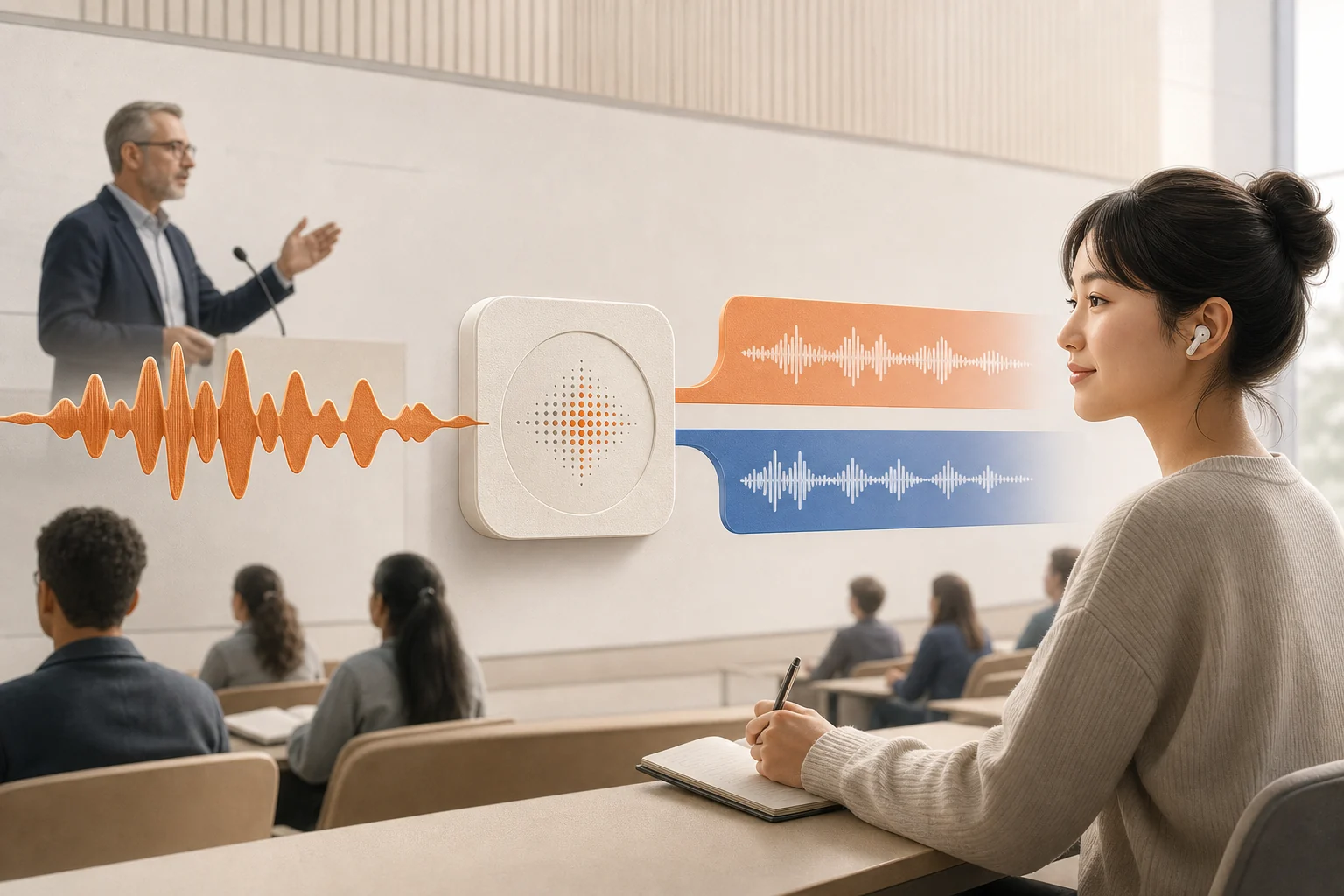
LectMate turns classroom audio into live transcription and synchronized translation. Students can follow the original wording and translated meaning without leaving the lecture or switching between separate tools.
Real-time captions keep pace with the speaker
Original speech and translation stay aligned
One focused workspace replaces app switching
03
The study outcome
Turn every class into a searchable study asset
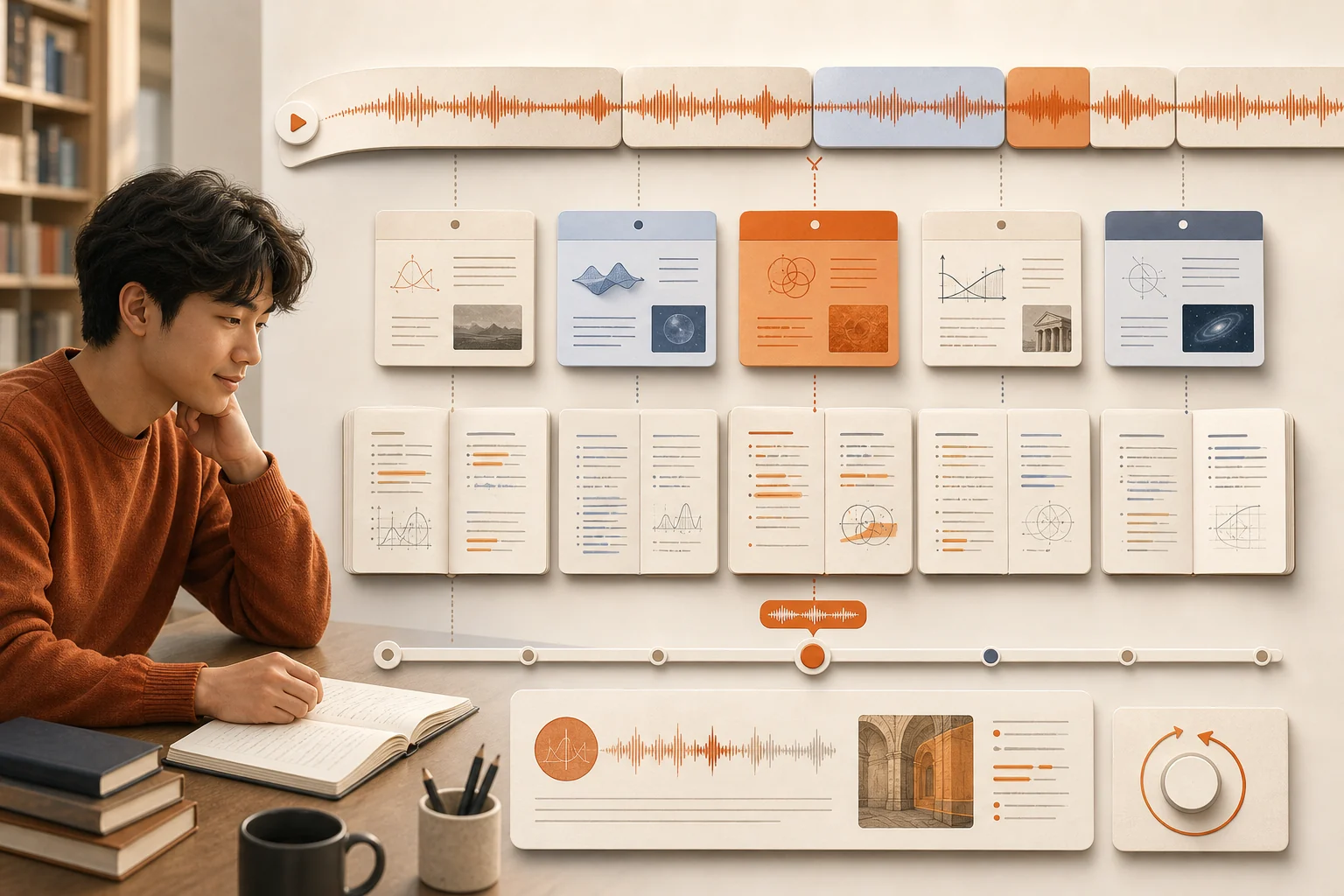
After class, the same LectMate session becomes chapters, bilingual notes, keywords, source-linked replay, and exportable material. Students return to the exact moment behind a concept instead of replaying an entire recording.
Search any term across the session
Replay the precise source moment
Review structured bilingual notes
What LectMate does
A SaaS workflow from live speech to review-ready notes
LectMate packages transcription, translation, speaker context, keyword summaries, search, replay, and export into one web product. The goal is a complete study system for serious review.
Built for students who need to listen first and organize later.
Real-time transcription
LectMate captures live audio and turns speech into text while the class is still happening. Students can follow lectures through real-time transcription instead of waiting for post-class processing.
Lecture translation
LectMate supports simultaneous translation for online classes, offline lectures, and meetings. Lecture translation helps students understand fast speech, different accents, and technical vocabulary.
Bilingual notes
LectMate keeps the original transcript and translated text together, turning class audio into bilingual notes that are easier to review before exams, assignments, and group discussions.
Keyword summaries
LectMate extracts keywords and main ideas from long recordings. Instead of rereading a complete transcript, students can start from the concepts that matter most.
Search and replay
LectMate lets students search any word or sentence in a session, then replay the exact moment at the right speed. This makes voice to text for students useful during real review.
Import, export, and control
LectMate can import recorded audio and export transcript results. Recordings, bilingual notes, and transcripts should remain under user control from capture to deletion.
Student wall
Different campuses, one calmer way to keep up
University of Manchester
Full-English class
Review the lesson without replaying the whole recording
“Long English lectures make it hard to stay focused. I import the key audio after class, generate an AI summary, and start revision from the important points.”
Capture key audio
Generate a summary
Review the takeaways
University of Sydney
Accented English
Keep following when the lecturer has a strong accent
“My lecturer speaks English with a Spanish accent. The live transcript can still recognize the class clearly enough for me to keep up with the explanation.”
Listen first
Read live text
Mark unfamiliar terms
University of Toronto
Advisor meeting
Make fast, technical conversations easier to follow
“A friend recommended using the app when speaking with an advisor. Fast speech and specialist terms become much easier to follow in real time.”
Translate live
Keep the terminology
Return to the source
Waseda University
Daily coursework
Let the tool stay out of the way during class
“I tried several translation tools. This is the one I kept using because the interface stays simple and does not interrupt the lecture.”
Open before class
Follow the transcript
Organize it later
University of Melbourne
Everyday lectures
Start every class ready to understand
“A classmate recommended the study tool. Now I turn it on as class starts, so I can keep my attention on the lecture instead of chasing every sentence.”
Start with the lecture
Stay in context
Review after class
Use cases
LectMate follows the moments where students usually lose context
Lecture halls, Zoom classes, office hours, customer service calls, and interviews all create the same problem: important speech disappears quickly. LectMate turns that speech into reusable knowledge.
Online class
Zoom lectures and video meetings
LectMate helps students follow teachers and classmates in real time. Accents, remote audio, and fast discussion are easier to handle when transcription and translation stay visible.
Campus
Offline lectures and seminars
LectMate can capture the words students cannot type quickly enough. After class, the same recording becomes bilingual study material.
Review
Exam prep and assignment research
LectMate turns long recordings into searchable review paths. Students can find formulas, terms, examples, or professor hints without replaying the whole lecture.
Daily life
Calls, interviews, and conversations
LectMate is useful beyond class. Phone calls, interviews, customer service, and travel conversations become less stressful when important speech can be captured and translated.
Study workflow
A practical path from listening to review
LectMate works as a complete web workflow. Capture or upload audio, stream transcription, translate the important parts, then convert long sessions into structured study material.
01
Capture the live moment
Start a LectMate session before the lecture, meeting, or call. The browser workspace streams transcription while the student keeps attention on the speaker.
02
Translate while context is fresh
LectMate shows translated text beside the original speech. This keeps lecture translation useful in the moment, not only as a post-class cleanup step.
03
Organize into study material
After the session, LectMate can clean punctuation, identify keywords, summarize sections, and align original transcript with bilingual notes.
04
Search, replay, and export
Students review the transcript, jump to the matching audio, and export the result for notes, revision, collaboration, or personal archive.
Technical solution
A model stack for real-time transcription and lecture translation
LectMate uses OpenAI for realtime transcription, caption translation, spoken interpretation, and study intelligence.
AI
OpenAI
OpenAI transcription, translation, spoken interpretation, and study-note generation.
OpenAI realtime transcriptionOpenAI spoken interpretationLive lecture transcriptionBilingual study notes
1
Live caption layer
OpenAI provides realtime source captions and translates committed text. LectMate manages connection recovery so live captions can continue when a session reconnects.
2
Recorded audio layer
OpenAI turns uploaded lectures, seminars, and calls into timestamped source text for review and speaker-aware processing.
3
Study intelligence layer
Use advanced OpenAI language models to clean transcripts, correct terminology, extract keywords, summarize lectures, and generate bilingual notes.
Privacy first
Students stay in control of recordings and transcripts
LectMate handles sensitive class, meeting, and call content. The product should keep data control clear, preserve deletion paths, and avoid using private learning data for model training by default.
LectMate users should be able to delete recordings, transcripts, translations, summaries, and exported files when they no longer need them.
Private lecture and call content should not be used for model training by default. Sensitive data deserves explicit boundaries and clear retention rules.
Audio files, transcript text, bilingual notes, and exports should be stored as separate resources with scoped access and short-lived download links.
Languages
Built for international study, not just one language pair
LectMate supports the multilingual reality of study abroad. English and Chinese are the core use case, while broader language coverage helps students move through meetings, travel, and daily life.
English and Chinese
The core LectMate use case is study abroad: English lectures, Chinese subtitles, bilingual notes, and mixed-language classroom discussion.
European languages
Spanish, French, German, Italian, Portuguese, Dutch, Polish, Swedish, Ukrainian, and more help students handle regional coursework and travel.
Asian languages
Japanese, Korean, Thai, Vietnamese, Hindi, Bengali, Malay, Tamil, Telugu, Urdu, Cantonese, and others support broader international study.
Global coverage
LectMate is positioned around broad language coverage, giving the product a global story beyond one lecture translation pair.
FAQ
Questions before adopting LectMate
These answers explain how LectMate, Lect Mate, real-time transcription, and bilingual notes fit into a web SaaS workflow.
What is LectMate?
LectMate is a web SaaS for students, classes, meetings, interviews, calls, and daily conversations. LectMate turns speech into real-time transcription, lecture translation, and bilingual notes.
Is Lect Mate only for online lectures?
No. People may search for Lect Mate as a study tool, but the LectMate workflow works for Zoom classes, offline lectures, phone calls, interviews, and travel conversations.
Can LectMate create bilingual notes?
Yes. The recommended LectMate workflow keeps the original transcript and translated text together, then adds summaries, keywords, search, replay, and export paths.
Which models should power LectMate?
LectMate uses OpenAI for realtime and recorded transcription, caption translation, spoken interpretation, summaries, and bilingual notes. Connection recovery keeps live captions resilient.
Is LectMate a standalone SaaS?
Yes. LectMate is positioned as a standalone SaaS product with its own web workspace, workflow, privacy model, and technical architecture.
Is LectMate affiliated with 有道留学听课宝 (Youdao Study Abroad Lecture Assistant)?
Independent product notice: LectMate.com is not affiliated with 有道留学听课宝 (Youdao Study Abroad Lecture Assistant). They are completely independent products.
Ready for clearer lectures?
Bring lecture intelligence into a focused web workspace
LectMate helps students understand lectures abroad, keep bilingual notes, and return to the exact moments that matter.